
Document Control
SOPs · Work Instructions · Records · Forms
The right version, in the right hands, every time. Replace shared drives and redline emails with controlled documents that route themselves, train your team automatically, and survive an inspection on the first pass.
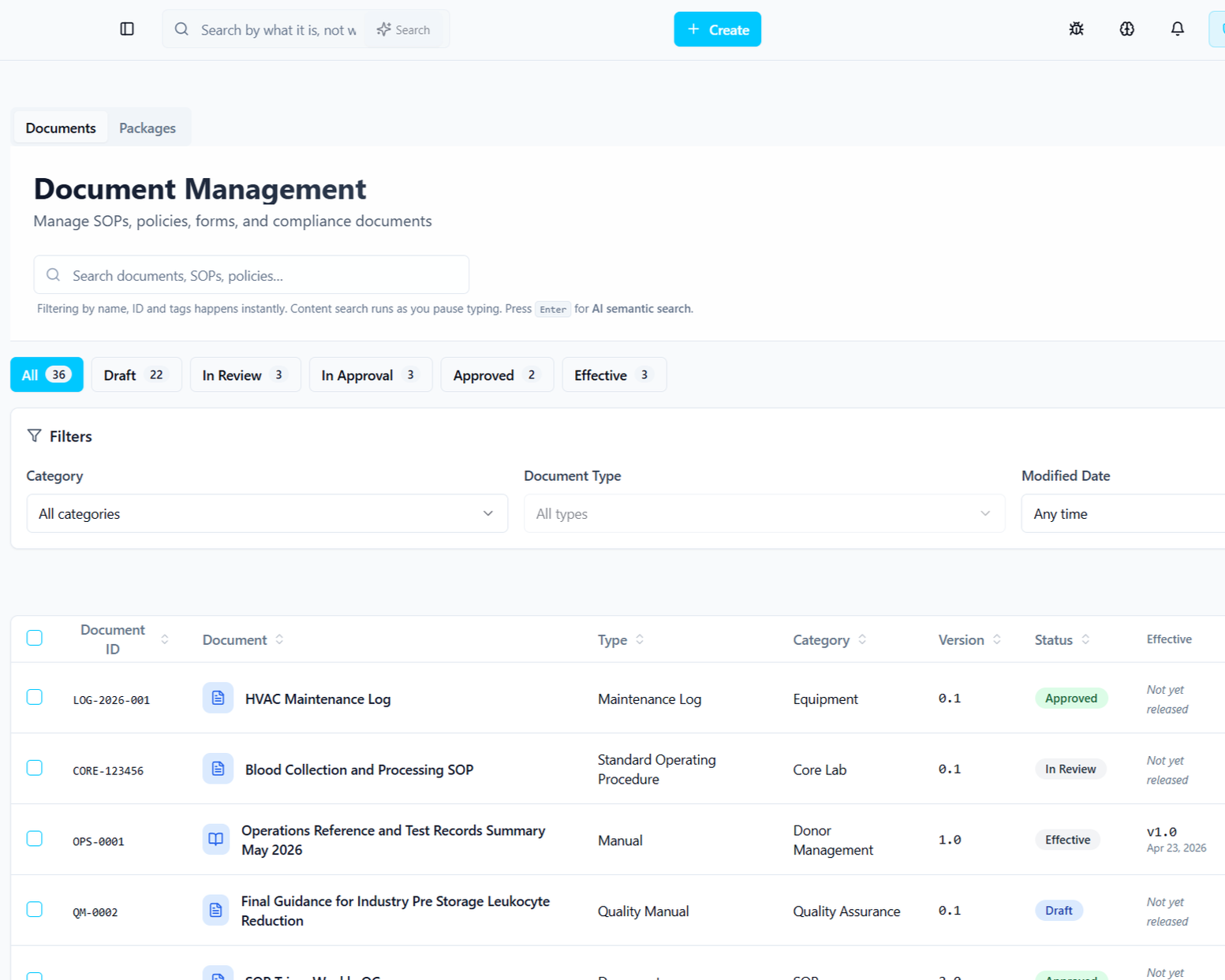
One source of truth
Every SOP, work instruction, form, and record lives in one place — versioned, searchable, and effective on the date that matters.
Inspection-ready by default
Time-stamped audit trail, 21 CFR Part 11 e-signatures, and Annex 11–aligned records. Pull a complete history in seconds.
AI that reads context
Kintavo AI drafts change summaries, flags conflicting SOPs, and suggests reviewers based on document scope and history.
A complete history. Without the spreadsheet.
Every revision is a first-class object: who changed what, when, why, and what it superseded. Roll back, branch, or compare any two versions side-by-side.
The document approves. The training assigns itself.
When a controlled document is revised, Kintavo identifies who needs to know, generates a competency check from the change diff, and locks affected work until users are signed off.
Every document. Every step. One system.
From the first draft to retirement, Kintavo handles the routing, signatures, dates, and downstream effects so your team can focus on the content.
Author
Draft from a template, lift content from a prior version, or import an existing PDF.
Review
Routed to reviewers by scope. Comments resolve inline. AI flags conflicts with active SOPs.
Approve
Multi-stage approval with 21 CFR Part 11 e-signatures and reason-for-change capture.
Effective
Goes live on its effective date — not before. Training and dependents update automatically.
Periodic review
Reminders fire on schedule. Retirement, re-issue, or no-change attestation captured for audit.
The document approves. The training assigns itself.
When a controlled document is revised, Kintavo identifies who needs to know, generates a competency check from the change diff, and locks affected work until users are signed off.
Documents don't live alone.
Every document is automatically linked to the training, CAPAs, deviations, and audit findings that touch it. Change one, the others know.
Ready to see the full platform working for your organization?
Book a personalized demo. We'll show you Kintavo configured for your regulatory environment and your specific workflows — not a generic product tour.
FAQ Questions & Answers
Q: How does version control work when a document is revised?
A: A new draft is created while the current approved version stays active. Once the new version is approved, it automatically becomes the active version and all previous versions are locked from use system-wide.
Q: Can we migrate our existing document library?
A: Yes. Data migration support is included in implementation. Your existing documents are imported, organized, and transitioned into the controlled repository with appropriate version history.
Q: What document types can Kintavo control?
A: Any type — SOPs, work instructions, policies, forms, labels, specifications, batch records, validation protocols, and more.
Q: Is the system validated for 21 CFR Part 11?
A: Yes. IQ/OQ/PQ validation documentation is included in every implementation.
Your documents are living in places they were never designed to be.
SharePoint was built for collaboration, not compliance. Shared drives have no version enforcement. Email approval chains leave no audit trail. When an inspector asks to see every version of a critical SOP — with every approval, every training acknowledgment, and every change justification — most quality teams spend days reconstructing what should take seconds.
Kintavo Document Control gives you a single controlled environment for every SOP, policy, form, and record. Version control that enforces itself. Approvals that cannot be skipped. Training that triggers automatically on every change.