Document Control
The right version. The right hands. Every time.
Controlled documents with automatic versioning, routing, and e-signatures. The right revision reaches the right people; the old one retires everywhere.
An Obsolete SOP at the Bench Is the First Thing an Inspector Finds.
Most quality teams manage documents in shared drives and email threads. Two versions of the same SOP circulate at once. Approval lives in an inbox no auditor can see. And when an inspector asks who reviewed revision C and when, the answer is a reconstruction — not a record.
The failure mode is always the same: an uncontrolled copy, printed months ago, sitting at the bench during an inspection. It is one of the most cited document control deficiencies across FDA 483s and ISO 13485 audits.
What Part 11, ISO 13485, and CAP Require From Document Control
Document control is where every framework starts. Part 11 requires signed, attributable electronic approvals. ISO 13485 clause 4.2 requires documents to be reviewed, approved, and re-approved on change — with obsolete versions prevented from unintended use. CLIA and CAP require current procedure manuals at the bench, reviewed on schedule by the laboratory director.
A shared drive meets none of these. Kintavo meets all of them by construction — versioning, routed approvals, and controlled distribution are how the module works, not conventions your team must remember.
The old way, retired.
This is the actual screen.
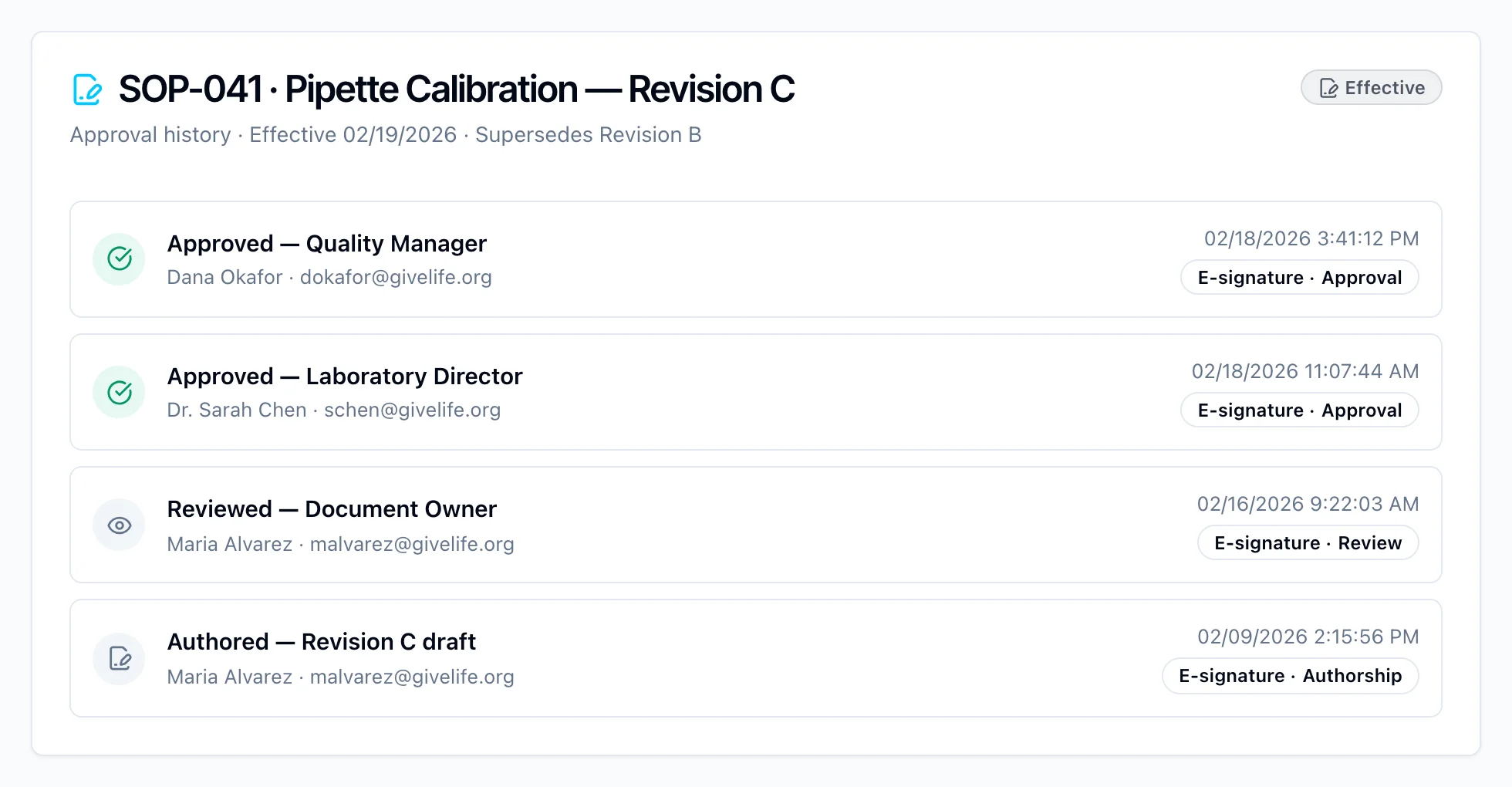
One Effective Version. Everywhere. Provably.
A supervisor submits revision C of the pipette calibration SOP. Kintavo routes it to the lab director and quality manager; each signs with password re-authentication. On the effective date, revision B locks everywhere, and the twelve staff assigned to the procedure get a read-and-understood task. Months later an inspector asks how the lab prevents obsolete SOPs at the bench. The answer is a live demonstration, not an explanation.
Part of one connected system.
Document Control shares the same data model, AI engine, and audit trail as the other eighteen modules — so its records see, and are seen by, everything else in your quality system.
Document Control FAQ
Is Kintavo document control 21 CFR Part 11 compliant?
Yes. Approvals are electronic signatures with password re-authentication, bound to the specific revision, with a full audit trail the database itself refuses to alter.
Can we migrate our existing SOP library?
Yes. Existing documents load with their current revision as the baseline — metadata, owners, and review schedules included. No re-approval of the whole library is required to go live.
How does Kintavo prevent obsolete versions from being used?
Superseded revisions are locked out automatically when a new version goes effective. Controlled printouts are watermarked with version and print date, so stale paper identifies itself.
Does document control work with training?
Yes. A new effective revision triggers read-and-understood or full training assignments to everyone mapped to the document — before they work under it.